
A reminder you can reply to
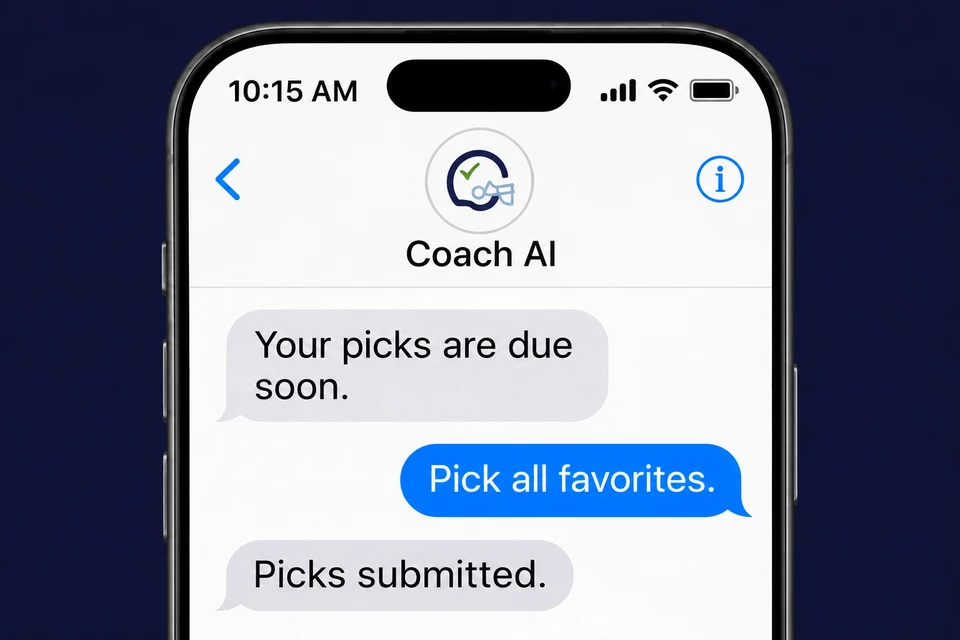
SMS text reminders are now available in PickTheGame. When you still have picks to finish, a text can give you a heads-up before the deadline. You can reply to Coach AI to get help and submit your picks from the same conversation.
It is a quick way to keep up with your pool when you are away from the app. Text reminders are optional, and you choose whether to turn them on.
What you can do
- Get pick reminders by text. Receive a heads-up when you have picks left to finish before a deadline.
- Reply to Coach AI. Ask which picks are missing, check a deadline, or give an instruction such as “Pick all favorites in my office pool.”
- Finish picks through a conversation. Coach AI can ask follow-up questions when it needs a pool name, tiebreaker, or other required information. Existing pool rules and game locks still apply.
- Choose your channels. Manage pick-reminder texts alongside your email and push preferences in Account Settings.
New to the assistant? Meet Coach AI for an overview of its pool questions, pick assistance, and other capabilities. Text replies are concise; use the app for charts, forms, and a full review of your saved picks.
How to enable text reminders
- Sign in to PickTheGame and open Account Settings.
- Choose Set up text reminders if you have not saved a phone number, or select Text under Pick reminders.
- Enter your mobile number, choose to receive SMS messages, and accept the Terms of Service and Privacy Policy.
- Enter the six-digit verification code sent to your phone. Text reminders stay off until verification is complete.
After setup, look for a welcome text from Coach AI at +1 (866) 486-7901. Saving a phone number alone does not enroll you. SMS currently covers pick reminders and your conversations with Coach AI; it does not turn every notification into a text.
You control your messages
You can turn text reminders off in Account Settings or reply STOP to opt out. Reply HELP for help, or contact admin@pickthegame.com. If you previously replied STOP, send START to Coach AI before enrolling again.
Message frequency varies. Message and data rates may apply. SMS consent is optional. Our Terms of Service and Privacy Policy explain the program and how we protect mobile information and consent records.
Texts can be delayed or fail to arrive. Your pool deadline still applies, so check the app to confirm your picks were saved.
Set up your next reminder
Open Account Settings to enable texts. For setup questions and troubleshooting, visit the Help Desk and search for SMS.